


PCB design
Do you want to design your own PCB?
5/24/20262 min read
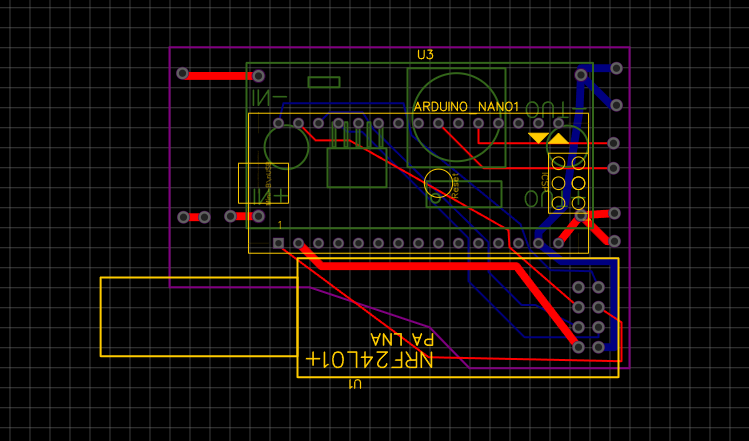
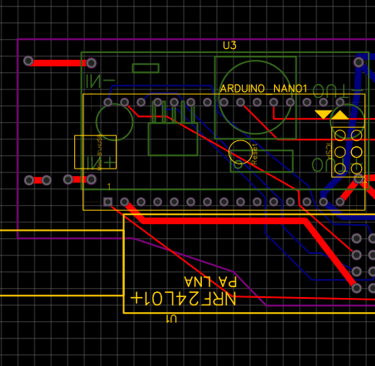
Creating a PCB (Printed Circuit Board) design can be an exciting and rewarding project, especially for electronics enthusiasts. In this tutorial, we will cover the basics of PCB design and how to use the EASYeda EasyEDA – Symulator obwodów i konstrukcja PCB Online to create your own printed circuit boards.
EASYeda is a powerful online PCB design tool that is user-friendly and perfect for beginners. The platform offers a variety of features, including schematic capture, PCB layout, and even options for ordering your PCBs directly from the site. To get started, you can sign up for a free account and begin exploring the tools available.
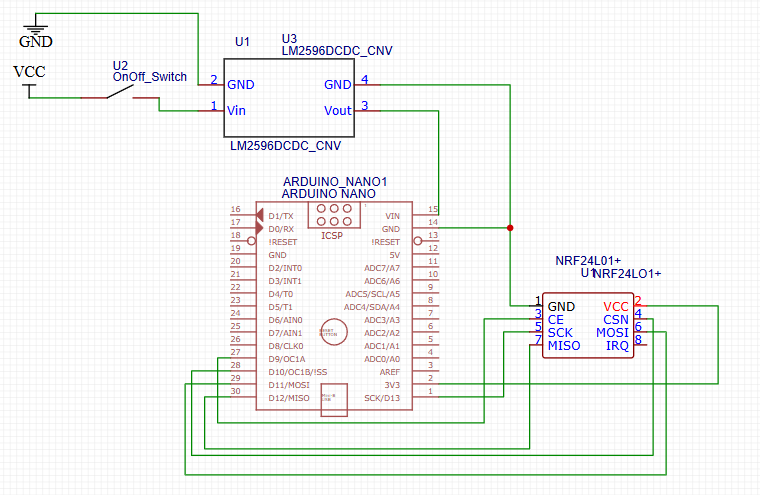
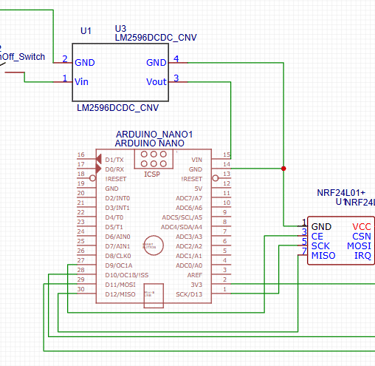
Once you have your account set up, it’s time to dive into your first PCB project. You've got two options, first one is more manual, you basically have to create all the holes and lines on the board by yourself. The second one is more automatic. You can connect the diagram, and program will create a PCB for you. In 99% of the cases you will need to adjust some lines and shapes but after all it makes creating PCB much faster.
For instance, if you want to create a radio controller circuit, you can design a PCB that incorporates an Arduino, a radio module (like the nRF24L01), and a servo motor for movement. This setup can be used for remote-controlled cars, drones or sail boats.
After finalizing your design, you can check your design by automatic verification and then export the files and order your PCB directly through the platform. Prcies are great, it cost around 5$ for 5 boards. Thats why we can sell boards for low prices in our store
With this basic understanding of PCB design and the tools available through EASYeda, you're ready to start your own electronics project! Whether it’s creating a simple Arduino-based project or a complex radio controller, the possibilities are endless.
RC sailing
We invite you to connect with us on social media or by email or phone
Contact
+48 788 619 201
© 2024. All rights reserved.